To get a real-time update on your Maersk container, you'll need one of three specific numbers: the Container Number, the Bill of Lading (B/L) number, or the Booking Number. Just pop any of these into Maersk's official tracking portal, and you'll get the latest on your shipment's location and status.
How To Instantly Track Your Maersk Container
Knowing which number to use at which stage is the key to getting a clear picture of your cargo's journey. Each of these identifiers plays a different role in the shipping process, from the moment you reserve space to the day your container arrives.
Picking the right one from the start just makes everything easier. For example, your Booking Number is your go-to in the early days, often before a specific container has even been assigned to your shipment. Once your goods are packed and loaded, the Container Number becomes the most direct way to follow the physical box across the ocean. The Bill of Lading number? That’s the master key, linking to the entire contractual agreement for your shipment.
Your Maersk Tracking Number Cheat Sheet
Think of these numbers as different keys that all unlock the same door—your shipment's status. It can be a bit confusing at first, so this little cheat sheet breaks down what each one is, where you'll find it, and when it’s best to use it.
If any of these terms are new to you, don't worry. Our detailed freight forwarding terminology is a great resource to get you up to speed.
| Tracking Number Type | What It Is and Where to Find It | Best Used For |
|---|---|---|
| Container Number | The 11-character alphanumeric code physically stamped on the container itself (e.g., MAEU1234567). You'll also see it on the Bill of Lading and container release orders. | Pinpointing the exact physical location of a specific container once it's on the move. This gives you the most granular, real-time data from port to port. |
| Bill of Lading (B/L) | A unique reference for the entire shipping contract, usually starting with "MAEU" and followed by a series of numbers. It's printed right at the top of your B/L document. | Managing the entire shipment under one contract, which might cover multiple containers. It's the primary reference for customs, banks, and legal paperwork. |
| Booking Number | The reference code you get right after reserving space on a vessel, typically a 9-digit number. It's in your booking confirmation email and documents. | Checking the status before a container has been assigned or has arrived at the port. Perfect for the early planning stages. |
Once you get the hang of these three numbers, tracking your Maersk containers becomes second nature. It puts you in the driver's seat, allowing you to quickly check your shipment's progress, get ahead of potential delays, and manage your supply chain with a lot more confidence.
Getting Around the Maersk Track and Trace Portal
The official Maersk portal is your go-to source for shipment information. It's packed with data, but if you're new to it, the interface can feel a bit overwhelming at first. Let's walk through it together, and you'll see how straightforward the Maersk container track and trace system can be.
Your first port of call is the official Maersk tracking page. You can't miss the big search bar right at the top—it’s designed to get you the information you need, fast. This is where you'll plug in your Container Number, Bill of Lading (B/L), or Booking Number.
Here’s a look at the main tracking interface where you’ll start.
The clean layout funnels you right to the input field, so there’s no confusion about where to begin. A really handy feature is that you can track multiple containers at once. Just drop in your numbers separated by a comma, a new line, or even just a space. This is a massive time-saver when you're juggling several shipments.
Plugging in Your Tracking Number
Once you're on the page, just type or paste your number into the search box. For instance, if your container is MAEU1234567, you'd enter that exact string of characters and hit the "Track" button.
The system is smart enough to figure out what kind of number you've entered.
- A Container Number will always have a four-letter prefix (like MAEU) followed by seven digits.
- The Bill of Lading usually starts with "MAEU" but is followed by a much longer set of numbers.
- A Booking Number is the unique numerical code you got when you first made the booking.
You don't even have to tell the platform which one you're using. It automatically identifies the number type, which is a nice little touch that removes a common headache and speeds up the whole process.
Making Sense of the Tracking Results
After you submit your number, you’ll land on a results page that lays out your container's entire journey. This is more than just a dot on a map; it's a detailed log of every key event. The first thing you'll see is a quick summary showing the current status and the estimated time of arrival (ETA).
Pro Tip: I always recommend bookmarking the specific results page for any active shipment. It saves you from having to punch in the number every single time you want an update and gives you one-click access to the latest status.
To really understand what's happening, you need to look closer at the different status milestones. These updates tell the story of your container's voyage. Some of the most common statuses you'll see are:
- Gate In: This means your container has been checked in and is officially inside the origin port's terminal.
- Vessel Departure: The ship with your container on it has left the port. Your cargo is now on the water.
- Discharged: Your container has been successfully unloaded from the ship at the destination port. Now it's waiting for the next move, like customs clearance or transfer to a truck or train.
Each of these statuses is a critical piece of the puzzle. Knowing that your container has been "Discharged," for example, is your cue to start arranging for local pickup or to get ready for customs to do their thing. This is how a simple tracking page transforms from a list of dates into a powerful planning tool for your entire logistics operation.
Making Sense of Maersk Tracking Statuses and Delays
Seeing an unfamiliar status update on your Maersk tracking page can be a bit jarring. Phrases like ‘On Hold’ or ‘Customs Clearance’ usually mean your container has stopped moving, and figuring out why is crucial for keeping your supply chain on track. These aren't just industry jargon; they're specific updates on what's happening with your cargo right now.
One of the most common—and often nerve-wracking—updates is ‘Customs Clearance’. This just means your container has arrived at its destination port and is being processed by the local customs officials. For most shipments, it's a routine paperwork check that's over and done with pretty quickly.
That said, it can also be the first sign of a delay. If there are issues with your paperwork or if officials decide to pull your container for a physical inspection, it’ll stay in this status until everything is sorted. The trick is not to panic. Instead, make sure your customs broker has all the necessary documents lined up and ready to present.
This decision tree gives you a good visual of how the initial tracking process works.
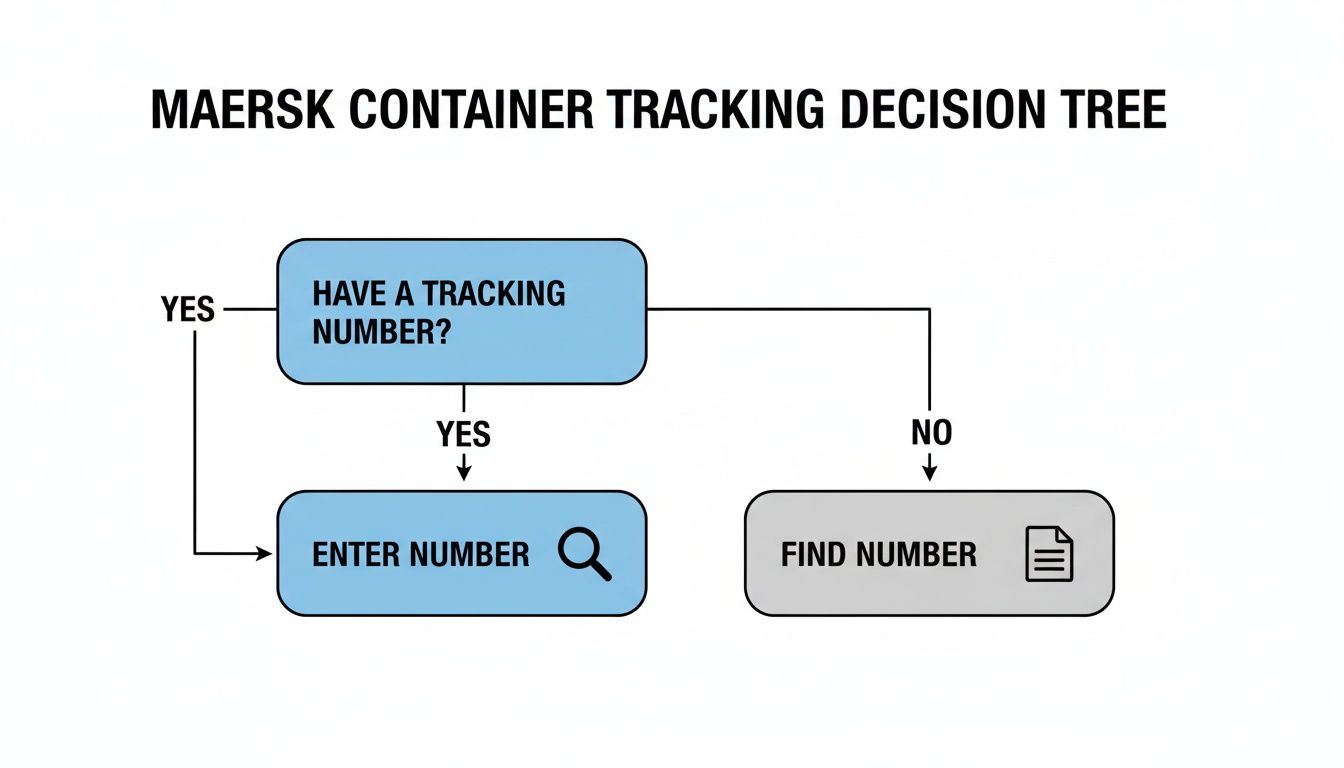
As you can see, the whole journey starts with having the right number in hand. It sets you on the correct path right from the get-go.
Common Statuses and What They Really Mean
Beyond customs, you'll see a variety of other updates as your container makes its way to you. Each one tells a small part of its story.
- ‘On Hold’: This is a catch-all status that can point to a few different things. It might be a customs hold, an issue with freight payment, or even a request from you to pause the shipment. Your first move should be to check the tracking details for more information or get in touch with your Maersk contact to find out what's going on.
- ‘Gate Out’: This is the one you want to see. It means your container has officially left the port terminal—usually on a truck or train—and is now on the final leg of its journey to you.
- ‘Transshipment’: This simply means your container is being moved from one vessel to another at an intermediate port. It’s a standard part of many shipping routes, particularly for less common destinations. It's worth understanding these different shipping arrangements; you can get a better handle on how cargo is managed in our guide on LCL and FCL shipping.
Why Delays Happen and How to Spot Them
Delays are, unfortunately, a fact of life in international shipping. In your tracking feed, they might show up as an 'ETA Changed' notification, or you might notice your container seems stuck on the same status for days on end.
A study that looked at over 13.3 million container journeys revealed that on the busy Asia-to-Europe route, the average delay for late arrivals was 5.7 days. Factoring this kind of buffer into your planning is just good business.
The usual suspects behind delays tend to fall into a few predictable categories:
- Port Congestion: When too many ships show up at once, terminals get jammed. Your tracking might say the vessel is 'At Anchorage' just outside the port, basically waiting in line for a spot to open up.
- Weather Events: Things like typhoons, hurricanes, or just really bad storms can force ships to change course or slow down, which naturally pushes back the estimated arrival time.
- Customs Inspections: A random physical inspection, or one triggered by a documentation issue, can add anywhere from a couple of days to several weeks to your wait time. This keeps your container at the port long after it's been unloaded from the ship.
Once you get the hang of these statuses, the Maersk tracking page stops being a source of stress and becomes a valuable planning tool. You’ll be able to manage expectations much better and keep your team and customers in the loop.
Automating Your Maersk Container Tracking
If you're juggling more than a few shipments at a time, you already know the drill. Constantly hitting refresh on the Maersk tracking portal is a massive time-sink. Copying and pasting updates into spreadsheets isn't just tedious; it's a surefire way to miss something important. The good news is, you can put most of this on autopilot.
The easiest first step is to use Maersk's own notification system. It's built right into the tracking portal. You can tell it to send you an email or an SMS when your container hits a key milestone—think vessel departure, port arrival, or customs clearance. It's a simple fix, but it flips the script. Instead of you chasing the information, the updates come to you.
Taking Automation to the Next Level with APIs
For anyone ready to get serious about efficiency, Maersk offers Application Programming Interfaces (APIs). Don't let the technical term throw you. An API is basically a secure, direct link between Maersk’s tracking system and your own software, whether that's your ERP or a custom logistics dashboard.
Once connected, real-time tracking data flows straight into your systems. No more logging into Maersk's website. Your team gets a single, unified view of every shipment, all in one place. This cuts down on manual data entry errors and gives you a genuine, at-a-glance overview of your entire supply chain.
This is where you really start to manage by exception. For complex operations, especially those moving through the busy Asia-Pacific trade lanes, this kind of streamlined data flow is non-negotiable. It’s backed by Maersk's heavy investment in infrastructure, like their massive new fulfillment centre in Shanghai, which directly contributes to better tracking visibility. Their recent global carrier reliability score of 76% in May 2025 also shows a commitment to hitting schedules. You can dig deeper into these developments on their Asia-Pacific market update page.
By connecting your systems via API, you’re not just tracking containers; you're building a responsive, data-driven logistics operation that can adapt quickly to changes.
Yes, setting up an API connection requires a bit of technical know-how, but the long-term payoff is huge. When you're picking a logistics partner, their tech stack should be a major consideration. A top-tier freight forwarder service won’t just move your boxes; they'll help you integrate these kinds of advanced tracking tools.
And once you have the data, you need to share it. To keep your own customers in the loop without bogging down your team, it's worth exploring how you can use tools that explain how to automate customer service with AI. This final step closes the loop, ensuring everyone who needs to know, knows—automatically.
Moving Beyond Basic Tracking for Total Supply Chain Visibility
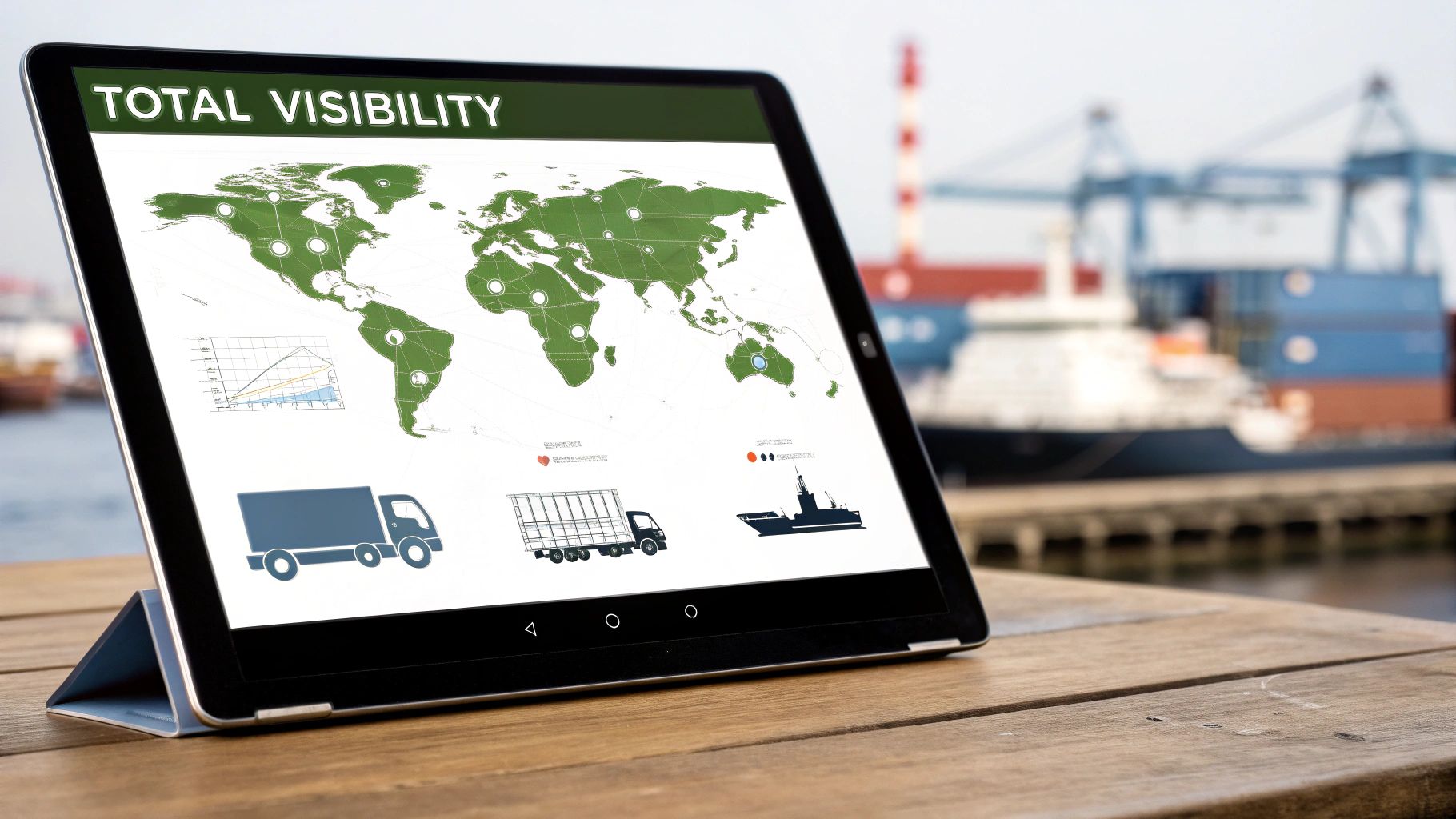
Maersk’s track and trace system is solid for port-to-port updates, but that’s often just one piece of a much larger puzzle. What about the journey before your container gets to the origin port, or the critical last-mile delivery after it leaves the destination? That’s where the visibility gap usually hits, leaving you blind during some of the most unpredictable legs of the journey.
This is why so many businesses rely on third-party logistics platforms to get the full picture. A service like Upfreights, for example, pulls everything into a single dashboard. Instead of just seeing your Maersk shipments, you can monitor containers from multiple carriers in one spot, which makes managing a complex supply chain far less of a headache.
But technology alone isn't always enough. The real power comes from pairing it with human expertise. An automated system might flag a delay with a vague status update, but having 24/7 human support means you have an expert who can actually figure out what’s going on, contact agents on the ground, and give you real options.
Adding Real-Time Inland Tracking to the Mix
The best platforms don't just rely on carrier data; they layer in real-time GPS tracking for the inland legs. This gives you genuine door-to-door visibility, allowing you to see your container’s exact location on a truck or train. For anyone trying to manage inventory or keep customers in the loop, that level of detail is a complete game-changer.
This kind of in-depth tracking is also a core component of strong Supply Chain Risk Management Strategies, helping you ensure your cargo arrives when and where it’s supposed to.
Having this complete view is particularly important given how global trade is shifting. Look at China, for instance. Even with a 15% drop in container volume to North America in Q2 of 2025, Chinese exports are still the engine of global shipping. Their share of worldwide container exports has actually climbed to 37% as they pivot to new markets in Latin America and Africa. This makes multi-modal visibility more critical than ever. You can read more on these global market trends from Maersk's latest update.
When you bring together multiple data streams—ocean carrier updates, live GPS feeds, and expert human oversight—you stop just tracking a box and start truly managing your supply chain.
Why a Unified Platform Makes a Difference
Using a single, advanced platform isn't just about convenience; it gives you a real strategic edge by centralising your shipping data and unlocking deeper insights.
- A Single Source of Truth: Forget toggling between carrier websites. All your shipment information is right there in one place.
- Proactive Problem-Solving: Real-time alerts and expert support let you get ahead of potential delays before they turn into major problems.
- Sharper Planning: With true door-to-door visibility, you can schedule warehousing, manufacturing, and final deliveries with much greater confidence.
Ultimately, this comprehensive approach turns the Maersk container track and trace process from a simple, reactive check-in to a powerful, proactive management tool, giving you genuine control over your international shipments.
Common Questions About Maersk Tracking
Even with the best systems, you're going to hit a few bumps in the road when tracking your cargo. It happens to all of us. Let's walk through some of the most common questions and snags I've seen over the years so you can sort them out quickly.
What if My Tracking Number Isn't Working?
It's a familiar, frustrating moment: you get a container number, eagerly punch it into the portal, and are met with a "Not Found" error. Before you panic, take a breath. The fix is usually just a matter of timing.
More often than not, this simply means the container hasn't been officially scanned into Maersk's system yet. Your supplier might have the number ready, but if the container hasn't physically passed through the terminal gates and been logged by Maersk staff, it won't show up.
My Advice: If your number doesn't work right away, give it 24-48 hours. This short delay is typically all it takes for the system to catch up with the real-world movement of your container at the port.
If a couple of days have passed and you're still seeing nothing, it's time to check for a simple typo. A single wrong digit or letter will send the system on a wild goose chase. A classic mistake is swapping a '0' for an 'O'. Just pull up your booking confirmation or Bill of Lading and carefully compare the numbers. That usually does the trick.
How Often Does Maersk Update Tracking Information?
This is a big one for managing expectations. Your container's tracking isn't like following a pizza delivery on a map. It’s not a constant, live feed. Instead, the updates are triggered by specific events.
The status only changes when your container hits a major milestone. Think of it as a series of checkpoints. You’ll typically see updates when the container is:
- Gated In at Origin Port: This is the official handover to Maersk.
- Loaded on Vessel: Your box is safely onboard the ship.
- Vessel Departs: The journey has officially begun.
- Vessel Arrives at Destination: The ship has reached the destination port.
- Discharged from Vessel: Your container is off the ship and on the quay.
- Gated Out from Destination Port: The container has left the terminal.
Don't be alarmed if you don't see any updates for days, or even weeks, while your container is at sea. That long silence is completely normal. While Maersk is working on better real-time visibility with new technology, the process is still very much milestone-based.
Can I Track a Container Without a Bill of Lading?
Yes, absolutely. The Bill of Lading (B/L) is a critical document for your shipment, but it’s not the only way to track your cargo. If you don't have the B/L handy or it hasn't been issued yet, you have a couple of other great options.
The Booking Number is your go-to for tracking in the early stages, often before a container is even assigned. Once the container is packed and moving, the Container Number itself becomes the most direct way to follow its physical journey. Just pop either of those numbers into the Maersk portal, and you'll get the very same tracking details you would with the B/L.